Pattern: Constrained Tool Use
Motivation
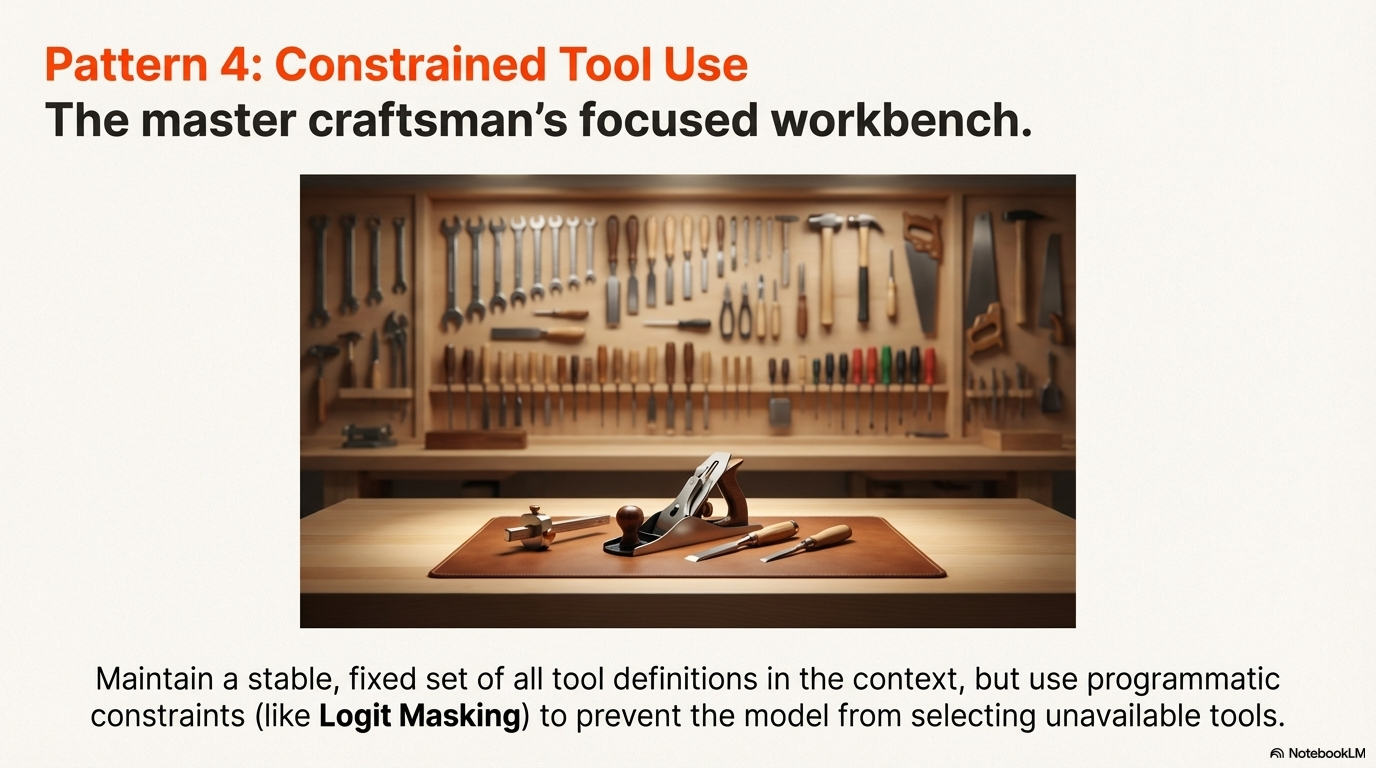
In a workshop, you might have a full toolbox but only need a few tools for a specific job. Rather than removing tools from the box, you simply focus on the ones you need, keeping others available but out of the way. Similarly, when working in a restricted environment, you adapt to what's available rather than changing your entire setup. Constrained Tool Use applies this principle: limiting tool availability through programmatic constraints while keeping the full toolset defined, preventing confusion and maintaining efficiency.
What is KV Cache?
The Key-Value Cache (KV-Cache) is a performance optimization mechanism used in transformer language models during inference. When processing a sequence of tokens, the model computes key-value pairs for each position in the attention mechanism. These key-value pairs are cached so that when generating subsequent tokens, the model doesn't need to recompute the keys and values for all previous tokens.
Why it matters for tool definitions:
- Tool definitions typically appear near the front of the context window, forming a stable prefix that remains constant across multiple turns.
- When the context prefix (including tool definitions) stays unchanged, the KV-Cache can be reused entirely for that prefix, dramatically reducing computation.
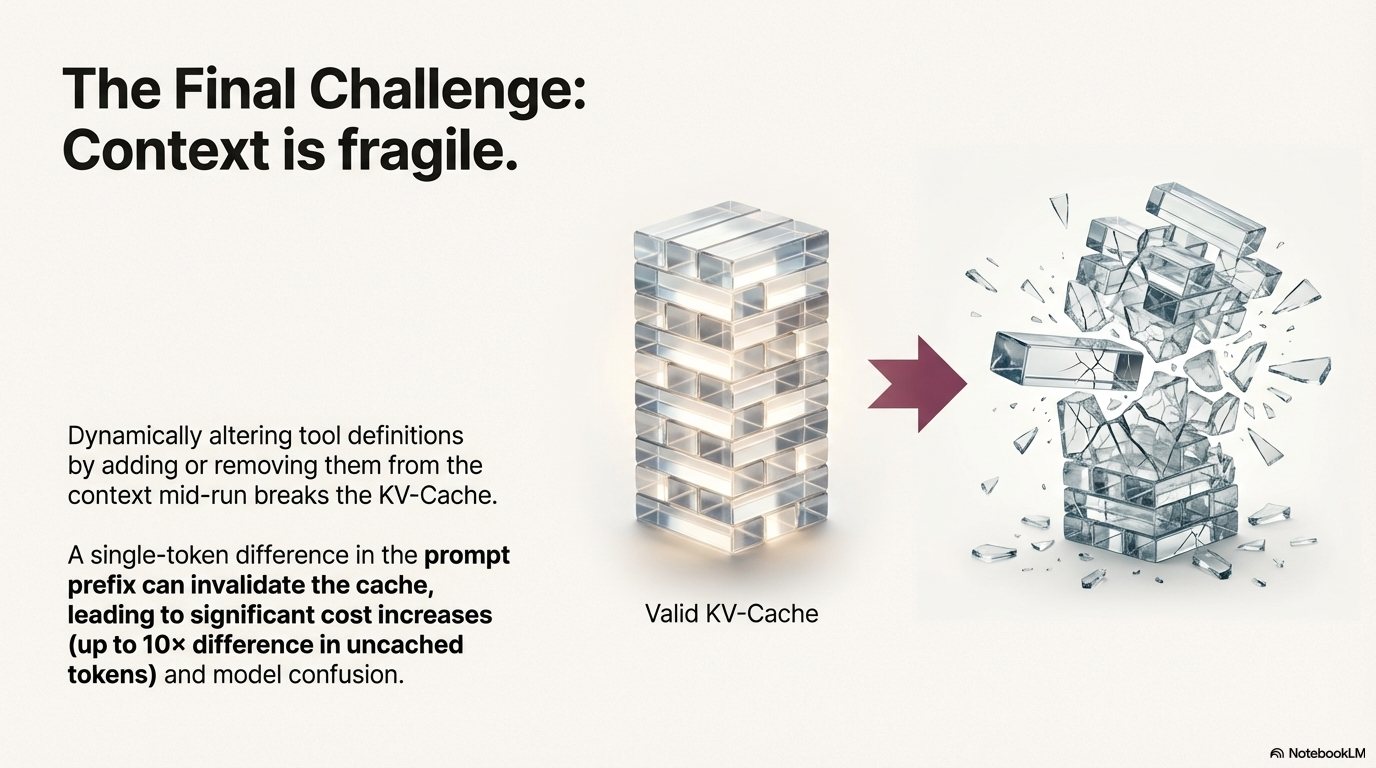
- A single-token change in the prompt prefix invalidates the entire KV-Cache, forcing the model to recompute all key-value pairs from scratch.
- This can lead to up to 10× cost increases in uncached tokens, significantly impacting both latency and API costs.
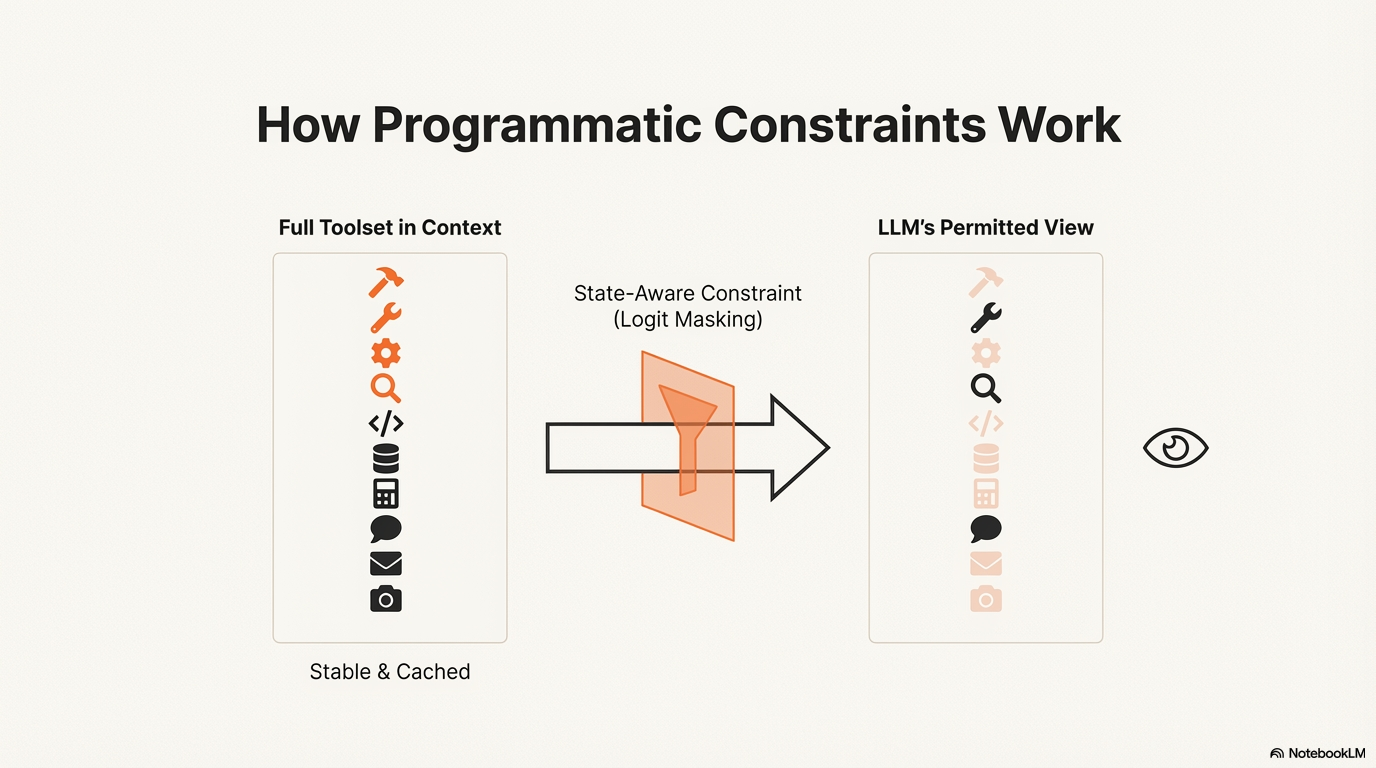
- By keeping tool definitions stable and using programmatic constraints (logit masking) instead of dynamically modifying definitions, the KV-Cache remains valid, ensuring efficient inference throughout the conversation.
Pattern Overview
Problem
As agents take on more capabilities, their action space naturally grows more complex—the number of tools explodes. With the popularity of MCP (Model Context Protocol) and user-configurable tools, agents can have hundreds of tools available. This complexity increases the likelihood of selecting the wrong action or taking an inefficient path. A natural reaction might be to design a dynamic action space—perhaps loading tools on demand using something RAG-like. However, dynamically altering tool definitions mid-run breaks the KV-Cache (Key-Value Cache) and confuses the model, leading to performance degradation, increased costs, and potential hallucination of tool actions.
Solution
The Constrained Tool Use pattern addresses this challenge by maintaining stable tool definitions while programmatically constraining which tools can be selected at any given moment. Instead of dynamically modifying tool definitions in the context, the pattern uses programmatic constraints (like logit masking) to prevent selection of unavailable tools. This approach preserves KV-Cache efficiency, prevents model confusion, and ensures reliable tool invocation. Keeping tool definitions stable is critical for maintaining performance, reducing cost, and preventing the model from hallucinating tool actions. The pattern is particularly valuable when the set of available tools must remain stable but the agent's permission or capability to use a tool must change based on the current state.
Key Concepts
- Logit Masking: Programmatically preventing the LLM from generating tokens corresponding to unavailable tools during decoding, without removing tool definitions from context.
- KV-Cache Stability: Maintaining stable context prefixes (including tool definitions) to maximize Key-Value cache reuse, directly improving latency and reducing costs.
- Response Prefilling: Using inference framework capabilities to constrain output by prefilling response tokens, effectively limiting the action space without modifying tool definitions.
- Context Engineering: Strategic management of what appears in context to optimize performance, cost, and reliability.
- Fixed Tool Definitions: Keeping all tool definitions stable throughout a session, typically positioned near the front of the context after serialization.
- State-Aware Constraints: Using a context-aware state machine to manage tool availability based on current agent state.
How It Works: Step-by-step Explanation
-
Define All Tools: All possible tools and their descriptions are defined once and fixed at the start of the session. These definitions typically reside near the front of the context, before or after the system prompt.
-
Maintain Context Stability: The tool definitions remain in the context throughout the session to maximize the KV-cache hit rate. A single-token difference in the prompt prefix can invalidate the cache, leading to significant cost increases (up to 10× difference in uncached tokens).
-
Apply Constraint (Masking): When a specific tool is unavailable based on the agent's current state (e.g., the agent is not in the correct virtual environment to use a shell command), the agent framework uses programmatic constraints during the decoding step. This can be done through:
- Logit Masking: Physically preventing the LLM from outputting tokens corresponding to unavailable tools
-
Response Prefilling: Using inference framework capabilities to constrain output by prefilling response tokens
-
Prevent Selection: This masking physically prevents the LLM from outputting the tokens corresponding to the unavailable tool's name, without removing the tool's definition from the context. This ensures stability while still guiding the agent's action space.
When to Use This Pattern
✅ Use when:
- You need to enforce that the agent selects only from a certain group of tools at a given state.
- Maintaining a fixed tool set is required for KV-cache optimization.
- Previous actions and observations refer to tools that must remain defined in the context.
- You have a large, complex action space (hundreds of tools) where dynamic selection is needed.
- Tool availability must change based on agent state (e.g., environment, permissions, workflow stage).
- You need to prevent schema violations or hallucinated tool calls.
❌ Avoid when:
- You are dealing with a task so simple that KV-cache optimization is unnecessary.
- You attempt to dynamically alter the tool set per turn by physically adding or removing tool definitions, as this breaks caching and confuses the model.
- The tool set is small and stable enough that constraints aren't needed.
- Tool availability changes are rare and don't justify the complexity of masking logic.
Decision Guidelines
Keep the tool set fixed during a single problem-solving episode. Use soft restrictions (masking) rather than physically adding/removing tool definitions mid-run. A single-token difference in the prompt prefix can invalidate the cache, leading to significant cost increases (up to 10× difference in uncached tokens). When tool definitions change, previous actions and observations still refer to tools that are no longer defined, which confuses the model and often leads to schema violations or hallucinated actions without constrained decoding.
Practical Applications & Use Cases
The Constrained Tool Use pattern is essential for managing complex action spaces while maintaining performance and reliability.
-
Prefix-Based Masking: Manus AI uses this pattern by naming tools with consistent prefixes (e.g., all browser-related tools start with
browser_, command-line tools withshell_) to easily enforce that the agent chooses only from a certain group of tools at a given state without using stateful logits processors. -
Preventing Tool Misuse: The pattern helps mitigate risk by constraining the agent's output to only available and authorized tools, preventing the generation of schema violations or hallucinated tool calls.
-
State-Dependent Tool Access: When an agent must reply immediately to user input instead of taking an action, masking prevents action selection while keeping all tool definitions available for later use.
-
Environment-Based Constraints: Tools can be masked based on the agent's current environment (e.g., no shell commands in a sandboxed environment, no database access without proper authentication).
-
Workflow Stage Constraints: Different stages of a workflow can have different tool availability (e.g., research stage allows only search tools, execution stage allows only action tools).
-
Permission-Based Access: Tools can be masked based on user permissions or security policies without removing them from the context.
Implementation
Prerequisites:
# Most inference frameworks support logit masking or response prefilling
# Check your framework's documentation for specific implementation details
The implementation often involves designing tool names with consistent prefixes and then leveraging the inference framework's ability to constrain output based on prefixes or logit masking:
Basic Example: Prefix Design Strategy
from typing import List, Dict, Set
from enum import Enum

class AgentState(Enum):
    EXPLORING = "exploring"  # Can only use browser tools
    EXECUTING = "executing"  # Can only use shell tools
    QUERYING = "querying"   # Can only use database tools
    RESPONDING = "responding"  # No tools, must respond directly

class ConstrainedToolManager:
    def __init__(self):
        # Define all tools with consistent prefixes
        self.all_tools = {
            "browser_search": "Search the web for information",
            "browser_click_link": "Click on a link in the browser",
            "browser_navigate": "Navigate to a URL",
            "shell_execute": "Execute a shell command",
            "shell_read_file": "Read a file from the filesystem",
            "query_database": "Query the database with SQL",
            "query_get_schema": "Get database schema information"
        }

        # Define tool groups by prefix
        self.tool_groups = {
            "browser_": ["browser_search", "browser_click_link", "browser_navigate"],
            "shell_": ["shell_execute", "shell_read_file"],
            "query_": ["query_database", "query_get_schema"]
        }

        self.current_state = AgentState.RESPONDING

    def get_allowed_tools(self, state: AgentState) -> Set[str]:
        """Get allowed tools for a given state."""
        if state == AgentState.EXPLORING:
            return set(self.tool_groups["browser_"])
        elif state == AgentState.EXECUTING:
            return set(self.tool_groups["shell_"])
        elif state == AgentState.QUERYING:
            return set(self.tool_groups["query_"])
        else:  # RESPONDING
            return set()  # No tools allowed

    def get_allowed_prefixes(self, state: AgentState) -> List[str]:
        """Get allowed tool name prefixes for masking."""
        if state == AgentState.EXPLORING:
            return ["browser_"]
        elif state == AgentState.EXECUTING:
            return ["shell_"]
        elif state == AgentState.QUERYING:
            return ["query_"]
        else:
            return []  # No prefixes allowed

    def set_state(self, state: AgentState):
        """Update agent state and return masking configuration."""
        self.current_state = state
        allowed_prefixes = self.get_allowed_prefixes(state)
        return {
            "allowed_prefixes": allowed_prefixes,
            "mask_all_tools": len(allowed_prefixes) == 0
        }

# Usage
manager = ConstrainedToolManager()

# Agent is exploring - only browser tools allowed
masking_config = manager.set_state(AgentState.EXPLORING)
# Framework would use this to mask logits for tools not starting with "browser_"

# Agent must respond - no tools allowed
masking_config = manager.set_state(AgentState.RESPONDING)
# Framework would mask all tool-related tokens
Explanation: This example demonstrates the prefix-based strategy where tools are named with consistent prefixes. The framework can then use these prefixes to mask logits during decoding, preventing selection of unavailable tools while keeping all definitions in context.
This example shows how to use response prefilling to constrain the action space:
Advanced Example: Response Prefilling with Hermes Format
from typing import Optional, List
import json

class ToolConstraintManager:
    """Manages tool constraints using response prefilling."""

    def __init__(self):
        self.all_tools = {
            "browser_search": {"description": "Search the web"},
            "browser_click": {"description": "Click a link"},
            "shell_execute": {"description": "Execute command"},
            "query_db": {"description": "Query database"}
        }
        self.current_constraint = None

    def get_response_prefix(self, constraint_mode: str, allowed_tools: Optional[List[str]] = None) -> str:
        """
        Generate response prefix based on constraint mode.

        Hermes format examples:
        - Auto: <|im_start|>assistant
        - Required: <|im_start|>assistant<tool_call>
        - Specified: <|im_start|>assistant<tool_call>{"name": "browser_"}
        """
        base_prefix = "<|im_start|>assistant"

        if constraint_mode == "auto":
            # Model may choose to call a function or not
            return base_prefix

        elif constraint_mode == "required":
            # Model must call a function, but choice is unconstrained
            return f"{base_prefix}<tool_call>"

        elif constraint_mode == "specified":
            # Model must call a function from a specific subset
            if not allowed_tools:
                raise ValueError("allowed_tools required for 'specified' mode")

            # Prefill up to the beginning of the function name
            # This constrains to specific tools
            tool_names = [tool for tool in allowed_tools]
            # In practice, you'd prefill the JSON structure
            return f"{base_prefix}<tool_call>{{\"name\": \""

        else:
            return base_prefix

    def apply_constraint(self, state: str, user_input: str) -> Dict:
        """
        Apply constraint based on agent state.
        Returns configuration for response prefilling.
        """
        if state == "must_respond":
            # Agent must reply immediately, no tool calls
            return {
                "mode": "auto",
                "prefix": self.get_response_prefix("auto"),
                "mask_tools": True
            }

        elif state == "can_use_browser":
            # Only browser tools allowed
            browser_tools = [t for t in self.all_tools.keys() if t.startswith("browser_")]
            return {
                "mode": "specified",
                "prefix": self.get_response_prefix("specified", browser_tools),
                "allowed_tools": browser_tools,
                "mask_tools": False
            }

        elif state == "must_use_tool":
            # Must use a tool, but any tool is fine
            return {
                "mode": "required",
                "prefix": self.get_response_prefix("required"),
                "mask_tools": False
            }

        else:
            # Default: auto mode
            return {
                "mode": "auto",
                "prefix": self.get_response_prefix("auto"),
                "mask_tools": False
            }

# Usage
manager = ToolConstraintManager()

# Agent must respond to user input
config = manager.apply_constraint("must_respond", "User asked a question")
# Framework uses config["prefix"] to prefill response
# config["mask_tools"] = True prevents tool selection

# Agent can use browser tools
config = manager.apply_constraint("can_use_browser", "Need to search web")
# Framework uses config["prefix"] and config["allowed_tools"] to constrain selection
Explanation: This advanced example demonstrates response prefilling using the Hermes format. The framework prefills response tokens to constrain the action space without modifying tool definitions. Three modes are shown: Auto (may or may not call tools), Required (must call a tool), and Specified (must call from a subset).
Framework-Specific Examples
Custom Logit Masking Implementation
from typing import Dict, List, Set
import torch

class LogitMasker:
    """Implements logit masking for tool constraints."""

    def __init__(self, tokenizer, tool_name_tokens: Dict[str, List[int]]):
        """
        Initialize with tokenizer and tool name token mappings.

        Args:
            tokenizer: Tokenizer to convert tool names to token IDs
            tool_name_tokens: Dict mapping tool names to their token ID sequences
        """
        self.tokenizer = tokenizer
        self.tool_name_tokens = tool_name_tokens
        self.all_tool_token_ids = set()
        for tokens in tool_name_tokens.values():
            self.all_tool_token_ids.update(tokens)

    def create_mask(self, allowed_tools: Set[str], vocab_size: int) -> torch.Tensor:
        """
        Create a logit mask that allows only specified tools.

        Args:
            allowed_tools: Set of tool names that are allowed
            vocab_size: Size of vocabulary

        Returns:
            Binary mask tensor (1 = allowed, 0 = masked)
        """
        mask = torch.zeros(vocab_size, dtype=torch.bool)

        # Allow all tokens by default
        mask.fill_(True)

        # Mask all tool-related tokens
        mask[list(self.all_tool_token_ids)] = False

        # Unmask allowed tools
        for tool_name in allowed_tools:
            if tool_name in self.tool_name_tokens:
                tool_tokens = self.tool_name_tokens[tool_name]
                mask[tool_tokens] = True

        return mask

    def apply_mask_to_logits(self, logits: torch.Tensor, allowed_tools: Set[str]) -> torch.Tensor:
        """Apply masking to logits during decoding."""
        mask = self.create_mask(allowed_tools, logits.shape[-1])

        # Set masked logits to very negative value
        masked_logits = logits.clone()
        masked_logits[~mask] = float('-inf')

        return masked_logits

# Usage
# In practice, this would be integrated into the inference framework
# The mask would be applied during each decoding step
State Machine for Tool Availability
from typing import Dict, Set, Optional
from enum import Enum
from dataclasses import dataclass

class AgentState(Enum):
    INITIALIZING = "initializing"
    RESEARCHING = "researching"
    EXECUTING = "executing"
    RESPONDING = "responding"

@dataclass
class ToolConstraint:
    """Defines tool constraints for a state."""
    allowed_prefixes: List[str]
    blocked_tools: Set[str]
    require_tool: bool = False

class ContextAwareToolStateMachine:
    """Manages tool availability using a state machine."""

    def __init__(self):
        # Define state-specific constraints
        self.state_constraints = {
            AgentState.INITIALIZING: ToolConstraint(
                allowed_prefixes=[],
                blocked_tools=set(),
                require_tool=False
            ),
            AgentState.RESEARCHING: ToolConstraint(
                allowed_prefixes=["browser_", "search_"],
                blocked_tools={"shell_execute", "query_database"},
                require_tool=False
            ),
            AgentState.EXECUTING: ToolConstraint(
                allowed_prefixes=["shell_", "file_"],
                blocked_tools={"browser_search", "browser_click"},
                require_tool=False
            ),
            AgentState.RESPONDING: ToolConstraint(
                allowed_prefixes=[],
                blocked_tools=set(),  # All tools blocked
                require_tool=False
            )
        }

        self.current_state = AgentState.INITIALIZING

    def get_constraint_for_state(self, state: AgentState) -> ToolConstraint:
        """Get tool constraint configuration for a state."""
        return self.state_constraints.get(state, self.state_constraints[AgentState.INITIALIZING])

    def transition_to(self, new_state: AgentState) -> ToolConstraint:
        """Transition to new state and return constraint."""
        self.current_state = new_state
        return self.get_constraint_for_state(new_state)

    def get_masking_config(self, state: Optional[AgentState] = None) -> Dict:
        """Get masking configuration for current or specified state."""
        target_state = state or self.current_state
        constraint = self.get_constraint_for_state(target_state)

        return {
            "allowed_prefixes": constraint.allowed_prefixes,
            "blocked_tools": constraint.blocked_tools,
            "require_tool": constraint.require_tool,
            "mask_all": len(constraint.allowed_prefixes) == 0 and len(constraint.blocked_tools) == 0
        }

# Usage
state_machine = ContextAwareToolStateMachine()

# Agent starts researching
constraint = state_machine.transition_to(AgentState.RESEARCHING)
masking_config = state_machine.get_masking_config()
# Framework uses masking_config to constrain tool selection

# Agent must respond
constraint = state_machine.transition_to(AgentState.RESPONDING)
masking_config = state_machine.get_masking_config()
# All tools masked, agent must respond directly
Key Takeaways
-
Stability is Crucial: Dynamically altering the tool set during an iteration can confuse the model because previous actions and observations still refer to the old tools. This leads to schema violations or hallucinated actions without constrained decoding.
-
KV-Cache Optimization: Since tool definitions usually live near the front of the context, stability ensures the KV-Cache remains valid, directly improving latency and cost. A single-token difference in the prompt prefix can invalidate the cache, leading to up to 10× cost increases.
-
The Solution: Rather than physical removal, use programmatic constraints (logit masking or response prefilling) to achieve constrained tool use. This maintains context stability while still guiding the agent's action space.
-
Prefix Design: Designing tool names with consistent prefixes (e.g.,
browser_,shell_) simplifies masking logic and allows easy enforcement of tool groups without stateful logits processors. -
Response Prefilling: Most model providers and inference frameworks support response prefilling, which allows constraining the action space without modifying tool definitions. Three modes: Auto (may or may not call), Required (must call), and Specified (must call from subset).
-
Best Practice: Keep the tool set fixed during a single problem-solving episode. Use a context-aware state machine to manage tool availability based on current agent state, applying constraints through masking rather than definition changes.
-
Common Pitfall: Attempting to dynamically add or remove tool definitions mid-run breaks KV-Cache and confuses the model. Always use masking instead of physical removal.
Related Patterns
This pattern works well with: - Stable, Append-Only Context: This pattern is a direct engineering strategy to maintain context stability, which is the core principle of append-only context. Keeping tool definitions stable preserves KV-Cache efficiency.
-
Explicit Tool Definitions and Interfaces: Clear tool definitions aid in implementing masking strategies, as consistently named tools (e.g., using prefixes like
browser_) simplify the masking logic. -
Memory Management: Stable tool definitions align with KV-Cache optimization strategies in memory management, ensuring efficient context window usage.
This pattern is often combined with: - Tool Use (Function Calling): This pattern is an advanced implementation method for reliable and safe tool invocation, ensuring tools are used correctly while maintaining performance.
-
Routing: Routing logic can determine which tools should be masked based on context, user permissions, or workflow stage.
-
State Management: State machines or state management systems determine when to apply constraints, transitioning between states that allow different tool groups.
References
- Manus AI: Context Engineering for AI Agents - Lessons from Building Manus
- KV-Cache Optimization: Maintaining stable context prefixes for efficient inference
- Response Prefilling: Constraining LLM outputs through token prefilling
- Hermes Format: Function calling format from NousResearch
- Model Context Protocol (MCP): Standardized protocol for tool discovery and access